By Leslie Doyle | 02/05/2026
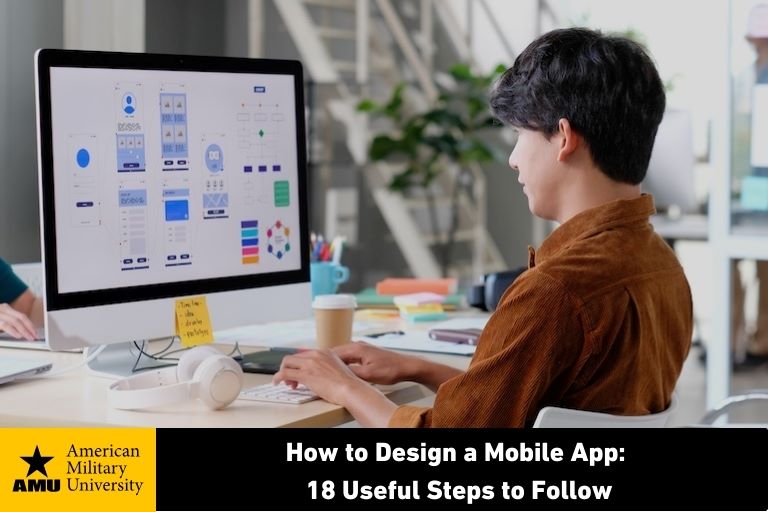
On average, people spend nearly three hours a day on mobile apps. However, making an app stand out from its rivals is no easy feat. The competition is intense for downloading apps. It requires a strong business plan and technical acumen to create an app that people continue using on their mobile devices.
People often believe that mobile app design is all about coding skills. However, creating a mobile app requires multiple steps.
Step #1: Come Up with A Viable App Idea
The key to creating a mobile app is finding a specific need to fulfill. Questions to consider include:
- What is the app’s purpose?
- What pain points does it solve?
- What unique value does it provide?
- Why will users want it on their mobile devices? For example, is it fun, useful, or informative?
- How will it keep users engaged?
Step #2: Conduct Market Research
Market research is a necessary early step to determine the viability of fulfilling an unserved need and identifying your target audience. You may conduct user research on your own or hire a market researcher. These professionals can:
- Identify potential demand for the app
- Assess competitors
- Help you choose the right price point
- Clarify user expectations
If you’re conducting market research yourself, you might use tools like:
- Google Trends® to track search interest for an app category
- SimilarWeb® to evaluate competitor traffic and visibility
- Google® alerts to track competitors and category news
- Data.ai® to identify trends and opportunities
- AppTweak® for competitive analysis
Part of this data-gathering exercise involves learning as much as possible about your potential users. Having an in-depth understanding of their goals and preferences will help you assess your market size and what will motivate user downloads and retention.
By gathering data such as age, gender, location, and key attributes, you can create user personas. These personas will also help later when you craft marketing messaging to promote your app.
Step #3: Monetize Your App Idea
Considering how to best make money on your mobile app is an important decision to make early on. You could choose between:
- Having users pay a fee for downloading
- Using a subscription-based model
- Earning revenues through advertising within the app
Some businesses also offer in-app purchases such as premium features or content as a method of continuous earnings. For example, many apps offer free versions with optional paid upgrades that unlock premium features or content. Other mobile apps give influencers or others a percentage of their earnings to promote their app.
It’s tempting to want to charge people for an app, but this approach often isn’t the best choice. In fact, roughly 90% of iOS apps from Apple® and 97% of Android® apps from Google are free.
The most common way to monetize a mobile app is through ad revenues. Typically, this model involves identifying a handful of businesses who share a target market with you.
Your monetization model may also dictate which platform you build on. Android may lend itself more to apps that have advertising or in-app purchases, while Apple may work better with for-fee apps.
Step #4: Create a Customer Journey Map
If you hire a mobile app designer, that person will work with you to map out the entire customer journey. Effectively, a customer journey map is a visual representation of how people will use your mobile app.
To create the customer journey, first put yourself in a user’s shoes and think about user needs and interactions. For example, consider:
- What would compel people to open the app?
- What motivates continued use?
- What barriers might prevent desired actions, such as completing a purchase or engaging with your content?
From there, your mobile app designer will go through every touchpoint, from the moment a user hears about your app to becoming a customer. Talking through the user journey is a crucial step in creating your app.
This app design exercise can ensure your development team is aligned in terms of what you’re looking to achieve. Creating a customer journey may also expose potential obstacles you can address in the user experience.
Users today tend to want personalization on their mobile phones and other devices. You can make users feel special with little personalized actions, such as remembering users’ previous behavior or welcoming them by name when they log in.
Step #5: Identify Your Minimum Viable Product
Before programming the app, you’ll need to document the core features that are needed for a minimum viable product (MVP). An MVP is the essential functions needed to move forward with validating your concept.
It may seem like adding a host of features to a mobile app will be beneficial for guiding users. But in a mobile environment, simpler is better. Each additional feature increases development time and costs, as well as the likelihood that users will be confused or bogged down.
When it comes to mobile, less is more. Making a task fast and intuitive to complete is often more effective than offering many features at once.
If you’re creating an ecommerce app, for example, your MVP might include functions such as:
- In-app purchasing
- A search box
- Social sharing capabilities
- Security measures such as authentication
Some mobile developers will also use the MVP to test the demand for their product or service. Companies like Uber® launched MVP versions of their services to gain feedback and test their assumptions before officially launching their products.
Step #6: Define Security Needs
Security is crucial for virtually all mobile apps, but even more so if your app includes financial capabilities such as contactless payments. At a minimum, protecting mobile users involves:
- Encryption of all sensitive data
- User authentication
- Safe standards such as Hypertext Transfer Protocol Secure (HTTPS)
- Cryptographic key management
- Token validation
Once you’ve defined how the app will function, you can move into the mobile app design phase.
Step #7: Work on Your Mobile App Design Process
When it comes to mobile app design and app functions, the user experience must be highly intuitive. Users have little patience for apps that are slow or difficult to understand. Having a clear visual hierarchy helps orient users to how to interact with the app.
App designers can help you make decisions that streamline the user journey. They can create a mockup of the user interface to show you how it will look and feel.
A mobile app design team typically includes a user experience (UX) designer and a user interface (UI) designer. A UX designer can help you choose which screens the app needs and sketch wireframes to show how users will move through each screen.
A UI designer can help you design visually appealing user interfaces for mobile screens. A UI designer’s work focuses on visual elements, such as:
- Fonts
- Colors
- Images
- Layout
Many UI and UX designers use tools like Figma® to turn mockups and wireframes into interactive prototypes. The resulting prototypes guide mobile developers in implementing the code and integrating application programming interfaces (APIs).
Interactive prototypes can also be used to demonstrate a mobile app’s design concept to stakeholders before development begins.
Step #8: Choose the Mobile App Platform
Before developing a mobile application, you’ll need to decide if you want a native app (i.e., one built for a specific platform like Android or iOS) or a hybrid version that works for multiple platforms. Which operating system you use for your mobile app will influence the app’s performance as well as future maintenance needs.
Creating iOS Apps
If you’re creating a native app for Apple devices, you have your choice of embedding many Apple features. However, you can face some limitations from a development perspective. For instance, building within the Apple ecosystem tends to be more expensive.
Creating Android Apps
If you’re building a native app for Android, you’ll be working in an open-source ecosystem, which gives developers more freedom in terms of functionality. However, open-source platforms may also be less secure.
Creating Hybrid Apps
Another option is to build your mobile app to work on both platforms at the same time. It can be faster to build a hybrid app than a native app, but hybrid apps may not always perform as well for users.
The decision of whether to build on a native platform vs. a hybrid environment will depend on many factors, including:
- Your development budget
- Desired time to market
- Application functionality
Using Integrated Development Environments
Your choice of platform will also determine which integrated development environment (IDEs) you use.
IDEs are software tools that help programmers build code in a compact, efficient manner. These tools keep all the development in one place, making it more efficient to write, test, and deploy your app. This approach can help reduce common risks such as configuration errors that may result from writing and testing in separate environments.
IDEs include:
- Xcode® for iOS development
- Android Studio® for Android development
- Flutter® or React Native® for both operating systems
Step #9: Choose Who Handles App Development
Some people may want to program their mobile app themselves while others hire professionals.
If you’re writing code yourself, you’ll likely want a firm understanding of programming languages like JavaScript® as well as a solid grasp of front-end and back-end development principles.
There are some drag-and-drop tools that minimize the need for coding experience. However, it’s crucial to do your research to decide whether this is a viable option.
Build-your-own app tools may work well for simple use cases. By contrast, apps requiring high performance or specialized features may be better handled by a professional team.
If you’re working with professional developers, they can also help advise you on key decisions such as which system architecture to use and how to prioritize your MVP functions.
Regardless of whether you hire mobile app developers or write the code yourself, you’ll want to educate yourself about what attributes lend themselves to an effective mobile user experience.
Building a successful and sustainable app involves:
- Focusing on simplicity in mobile app design and functionality
- Creating a logical, easy-to-follow workflow
- Keeping visual elements such as button styles and fonts consistent
- Continually optimizing performance, as users have little patience for errors and want a smooth mobile user experience
- Supporting readability on mobile screens through font size, type, and contrast
- Considering thumb-driven navigation across device sizes
- Providing feedback at every step so users know their actions are recognized
- Allowing users to access app features when they have limited connectivity
- Offering easy access to customer support
Step #10: Form Your Development Team
If you hire professionals to build your mobile app, articulate your expectations, such as key priorities, high-level goals, and your timeline for the design process. Be sure that they understand how to clearly communicate about roadblocks and that they’re good at troubleshooting.
Ask for examples of their previous work and talk with their former clients. Look for demonstrations not only of their prowess with top programming languages but their soft skills, such as:
- Communication
- Collaboration
- Flexibility
- Critical thinking
- Problem solving
- Time management
Whoever is handling the coding, make sure they're coordinated across front-end and back-end workflows to avoid any gaps.
Step #11: Begin App Development
Coding requires front-end development such as mobile app design elements and interfaces users will see, as well as back-end actions. Back-end actions occur behind the scenes to ensure the app functions as intended.
Front-end developers work to bring your mockups to life and provide app responsiveness through faster loading speed. They also work to make sure apps perform as expected across various mobile device types, mobile screen sizes, and mobile operating systems.
Front-end development involves turning your mockups into computer coding. These developers provide the right mobile interface elements at the right points in time by building:
- Navigation (menus, buttons, and transitions between screens)
- Animations
- Interactive elements such as forms and search bars that will work for different screen orientations and screen sizes
Back-end developers focus on the server-side processes to fulfill user requests and ensure data flows as it should. Typically, back-end programming requires experienced coders who understand how to enhance the performance and scalability of apps.
Back-end programming involves:
- Writing code for server-side logic (code that runs on a web server)
- Selecting database management systems such as MySQL® or Google Firestore®
- Determining data storage locations (cloud-based or on-site)
- Implementing security, including encryption and secure application programming interfaces (APIs)
- Integrating APIs for payments, notifications, and other services
Back-end developers are also responsible for ensuring the app is scalable as you acquire more users. There are several techniques to support scalability, such as:
- Load balancing to distribute traffic across servers
- Database optimization to reduce unnecessary queries
- Using content delivery networks to distribute application data
Step #12: Ensure Your Mobile App Supports Accessibility
Developers must ensure their mobile app design is accessible to people with disabilities. In some cases, app developers have been held legally responsible for not making their apps accessible.
Supporting real users with cognitive, visual, hearing, or mobility impairments may involve:
- Ensuring screen reader support, including adding alt tags to images
- Optimizing readability through font size, contrast, and button sizing
- Avoiding flashing elements that may trigger seizures
- Including closed captions on all video and audio content
- Providing alternatives to image-based CAPTCHAs
Step #13: Test Your App Internally
As soon as you have a fully functioning app, testing can start. Testing should occur during development as well as pre- and post-launch.
Rigorously test to ensure stability before releasing the app to users. Quality assurance (QA) testers consider all front-end and back-end functionality, such as:
- Functional testing to confirm workflows such as logins and payments
- Performance testing to evaluate load time, memory use, and network adaptability
- Aesthetic testing to confirm visual consistency across mobile devices
- Compatibility testing across platforms and browsers
- Penetration testing to identify security vulnerabilities
Common quality assurance tools are:
- TestFlight® for iOS mobile apps
- Google Play Console® for Android mobile apps
- UserTesting.com for hybrid apps
Step #14: Conduct Beta Tests
Beta testing to gain early user feedback is a valuable way to work out the app’s kinks before launching it to the general public. Before embarking on beta testing, determine the goal of the test. For example, the goal may be to:
- Identify bugs
- Assess usability
- Evaluate design improvements
Some companies offer beta testing to a limited number of real users in a confidential manner. Others do open beta testing to reach a broader audience.
Another alternative is to have a staged rollout. With a staged rollout, you initially send the app to a small group of users and then increase the number of testers gradually.
The goal is to encourage users to try out the app in various ways and gather feedback. To make the most of the beta test:
- Use tools like TestFlight or Google Play Console to recruit testers
- Embed feedback tools directly in the app
- Give testers clear tasks or usage scenarios
- Set up crash reporting and bug tracking
- Offer simple forms and push notifications for feedback
Some analytical tools also allow you to watch user interactions. Seeing user behavior in action can provide insights that might have been missed if you relied just on survey responses.
The information you receive from user research can inform future enhancements to mobile app design and development processes.
Step #15: Publish the App
Once you’ve completed quality assurance and beta testing, it’s time to launch your mobile app to the real world. Visit the Apple App Store for apps designed on Apple or Google Play Developer for apps designed on Android. You need to pay a small fee to create a developer account and submit the app for review.
Before submitting your app, carefully read the Apple and Android guidelines to increase your chances of having your app accepted in the app store. Write engaging descriptions to help your product stand out from other popular apps and share attractive screenshots to pique the interest of potential users.
Step #16: Promote Your Mobile App
People often mistakenly believe that all they need to do to market an app is to get it into an app store, but that’s just the first step. You need an effective strategy to succeed amid millions of other apps.
As with most business plans, you’ll need to conduct research before building your strategy. Tools like App Radar® can identify relevant, high-volume search terms related to your app. Reviewing forums and social channels can also provide insights into user behavior, needs, and preferences.
From there, you can build a marketing strategy that includes compelling messages to address the distinct value the app offers. Share this messaging on your mobile-first website early to gauge user interest and consider offering to alert users when the app becomes available.
Ongoing promotion is needed to continue to increase downloads. Authentic reviews from users interacting with your app are a great way to attract new users. Also, be sure to share positive reviews through appropriate social and community channels.
In addition, track in-store ratings and use in-app surveys to encourage users to share feedback to help you build credibility. You can incentivize users to provide feedback through raffles or special discounts.
Step #17: Increase User Engagement
Having a successful app requires much more than acquiring users. You must continue to develop and promote new features to keep users engaged.
Push notifications are one way to allow users to stay connected but use them judiciously. For example, a fitness app might gently encourage users to log in daily to track their running pace or share encouraging words when the user meets a milestone. Offering badges or other promotions can encourage users to enter daily information.
Step #18: Make Changes When Needed
Users need a clean interface and an engaging experience to continue using an app. In fact, 77% of daily active users abandon apps within three days of installing them.
To avoid this problem, keep an eye on user workflow to identify any opportunities to streamline the process. Consider everything from the user registration process to download time and navigation within the app.
User satisfaction is tied to application speed. On average, 70% of users will ditch an app if it takes too long to load. Surveys show mobile users expect apps to load in under two seconds.
There are several techniques for improving load time, including:
- Optimizing image size and formats, such as Scalable Vector Graphics (SVGs)
- Writing mobile-first Cascading Style Sheets (CSS) to reduce overhead
- Enabling server-side rendering to reduce delays
- Using caching so users don’t repeatedly download the same elements
For ongoing enhancements, mobile application developers should:
- Stay up to date on OS, device, and security changes
- Address bugs and share new features regularly
- Leverage A/B testing to evaluate feature effectiveness
- Continue testing across new devices and operating systems
Building a Good Mobile App That Engages and Succeeds
Mobile app design can be a rewarding experience. A compelling use case, a streamlined design, and a plan for ongoing engagement will help to increase your chances of success. Following step-by-step guidance also provides structure to help you build a product that’s well designed and well received in the market.
The Bachelor of Science in Computer Science at AMU
For students who want to improve their knowledge of hardware, software, and other areas of computer science, American Military University (AMU) offers an online Bachelor of Science in Computer Science. Students enrolling in this B.S. in computer science can take courses in digital systems, operating systems, network security fundamentals, and program design and development. Other courses feature software engineering, cybersecurity/cyber defense, and the principles of programming languages.
Three concentrations are available with this bachelor’s degree to enable students to choose the courses best suited to their professional goals:
- Artificial intelligence
- Cyber operations
- Quantum computing
For more details about this bachelor’s degree in computer science, visit AMU’s information technology degree program page.
Note: This program has specific admission requirements.
Google Trends is a registered trademark of Google, LLC
SimilarWeb is a trademark of SimilarWeb, Ltd.
Google is a registered trademark of Google, LLC.
Data.ai is a registered trademark of data.ai, Inc.
AppTweak is a registered trademark of AppTweak (Société Anonyme SA Belgium).
Apple is a registered trademark of Apple, Inc.
Android is a registered trademark of Google, LLC.
Uber is a registered trademark of Uber Technologies, Inc.
Figma is a registered trademark of Figma, Inc.
Xcode is a registered trademark of Apple, Inc.
Android Studio is a registered trademark of Google, LLC.
Flutter is a registered trademark of Google, LLC.
React Native is a registered trademark of Meta Platforms, Inc.
JavaScript and MySQL are a registered trademark of the Oracle Corporation.
Google Firestore is a registered trademark of Google, LLC.
TestFlight is a registered trademark of Apple, Inc.
Google Play Console is a registered trademark of Google, LLC.
App Radar is a registered trademark of Splitmetrics, Inc.
AMU staff writer Leslie Doyle is a veteran writer and editor with 15+ years of experience covering high-tech, biotech, higher education, and related business segments. Her previous clients include Cleveland Clinic, Massachusetts General Hospital, Blue Cross Blue Shield of Massachusetts, Adobe Systems, The MathWorks, Novell, Verizon Business, Sony Corporation, MIT, Wellesley College, Tyco Fire & Security, and Avid Technology, as well as many startup companies. Her work has been covered in CIO Magazine, Forbes Magazine, Computer Technology Review, Bioinform, Scientific Computing and Instrumentation, and related publications. Leslie holds a bachelor’s degree in English from Framingham State College.